


Home Lab Revolution: Building Custom Images with Proxmox
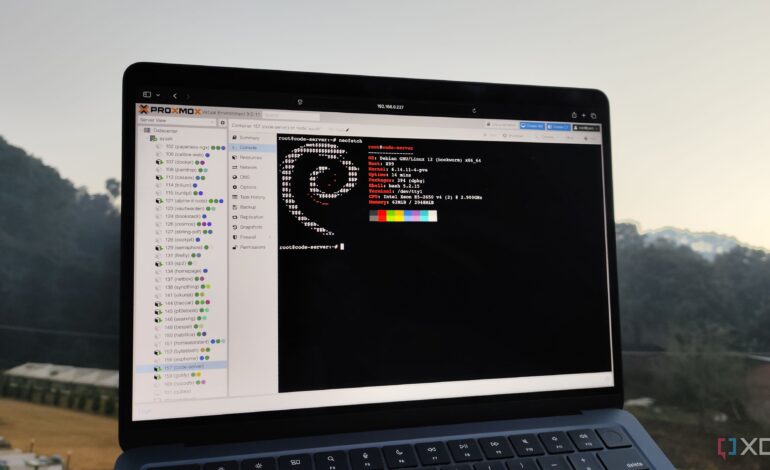

A significant shift in home lab management is underway as users transition from traditional setups to more efficient systems. This year, one tech enthusiast successfully migrated their virtual machines and containers from a Windows desktop and NAS to a dedicated mini PC running Proxmox as the hypervisor. The initial excitement about high-availability clustering soon revealed the hardware limitations of smaller devices, prompting a move to a more robust Strix Halo mini PC. The ultimate goal is to establish a dedicated server housed in a 6U chassis after the holiday season, highlighting the need for smarter image management in the process.
Proxmox offers a wide array of base images; however, many users find them outdated. This poses a challenge as the primary advantage of using existing templates is to avoid the tedious process of installing and updating VMs from ISO installers. Once a virtual machine or LXC container is configured, users can create a template from it, allowing for easy duplication. The process begins by right-clicking on the virtual guest and selecting “Create Template.”
While this method works, Proxmox provides additional options for specialized use cases. Users can build custom templates for nearly all supported configurations, although manual adjustments are often necessary post-deployment. This becomes cumbersome when initializing multiple VMs, particularly in scenarios where each requires different settings. Fortunately, the introduction of Cloud-Init simplifies this process significantly, although the initial setup requires more effort.
Proxmox VE 9.1 introduced a notable enhancement, allowing users to pull images directly from their chosen OCI registry, including Docker, Containerd, and Podman. This innovation eliminates the need for manual pulling and exporting of containers, streamlining the process significantly. To access this feature, users navigate to the local storage pool and select “Pull from OCI Registry” in the CT Templates section. By entering the image repository and tag, users can seamlessly download and convert containers into templates.
Automation emerges as a recurring theme in home lab management, and tools like Packer from HashiCorp play a pivotal role. Packer automates the creation of machine images, including Docker, LXC, and VMs, incorporating updates and user accounts without manual intervention. This capability resonates with users nostalgic for the era of advanced computer intelligence depicted in films, as it brings a sense of magic to the automation process.
To create a new VM template using Packer, one starts by preparing a text file named ubuntu-25.10-desktop.pkr.hcl. This file outlines the necessary instructions, including downloading the Proxmox plugin required to interact with the PVE node. While the full configuration file can be extensive, the general structure involves defining connection credentials, specifying the Ubuntu 25.10 ISO location, and detailing the VM’s specifications such as memory and networking settings.
Utilizing Cloud-Init further streamlines the process. Users create a folder named cidata containing user-data and meta-data files that serve as mounted CD content during setup. The user-data file instructs Cloud-Init on various configurations, from locale settings to SSH key management. While the inclusion of additional software can extend installation time, it enhances the functionality of the resultant VM.
After completing the HCL2 file, executing the command “packer build ./ubuntu-25.10-desktop.pkr.hcl” initiates the image creation process. Within approximately ten minutes, Packer accesses the running VM to reset Cloud-Init, preparing it for conversion into a template.
The capabilities of virtualization platforms like Proxmox enable users to create tailored environments for experimentation and production. While setting up individual containers or VMs may suffice for newcomers, experienced users recognize the value in optimizing their time and resources. As the home lab landscape evolves, embracing automation and custom image creation will undoubtedly enhance efficiency and effectiveness for tech enthusiasts.