


Unlock Hidden Windows 11 Features with Simple Settings Adjustments
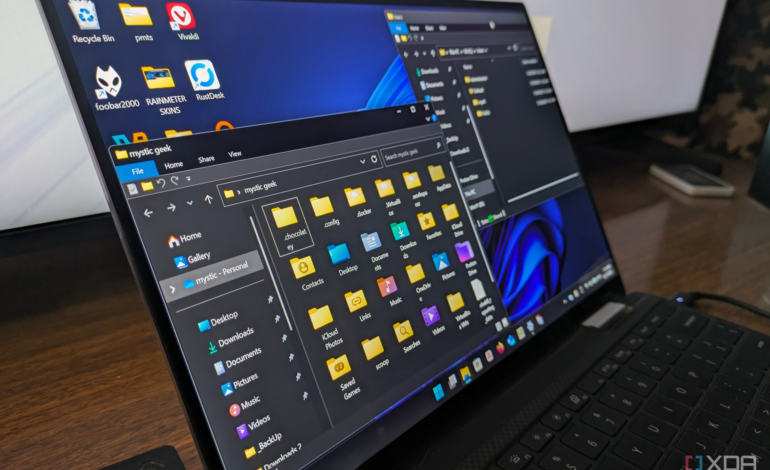

Many Windows 11 users struggle to navigate the Settings app, which has drawn criticism for its complicated layout. Microsoft’s design choices have left users grappling with overlapping categories and an overwhelming number of options. Despite these challenges, there are valuable features hidden within the system that can significantly enhance the user experience. A little-known tool called GodMode can help users access these functionalities with ease.
Discovering GodMode
GodMode is not an actual mode but rather a master folder that consolidates essential Control Panel settings into one location. While Microsoft supports this feature, it is not readily visible in Windows 11. To enable it, users need to create a new folder and rename it to a specific string, allowing the folder to display the Control Panel icon. This straightforward process requires administrator privileges, making it accessible for those willing to explore.
Once activated, GodMode reveals a range of powerful settings that Microsoft has relegated to obscurity. Among these are crucial adjustments that can significantly improve how users interact with their devices.
Essential Features in GodMode
One of the most beneficial settings found in GodMode is the option to configure single or double-click actions in File Explorer. This feature allows users to switch from the default double-click to a single-click mechanism, similar to web browsers. For individuals with mobility issues or those who find the double-click motion tedious, this adjustment can greatly enhance accessibility and efficiency.
Another critical tool is File History, a backup solution integrated into Windows 11. It allows users to create continuous backups of vital files like documents and photos. By directing File History to an external drive or network storage, it automatically saves versions of files, providing peace of mind in case of data corruption or accidental deletion. This feature stands out as a robust alternative to subscription-based cloud services.
For users who find the blinking cursor distracting, GodMode also offers an option to adjust the cursor blink rate. This simple adjustment can lead to improved focus and comfort for those who spend long hours typing.
Additionally, GodMode houses a comprehensive troubleshooting section. Users can access tools that help resolve common issues, such as connectivity problems or audio failures, without the hassle of searching through multiple menus. This centralized resource can save time and reduce reliance on third-party repair tools, which may not always be trustworthy.
Another valuable feature is the legacy Backup and Restore option from Windows 7. This tool allows users to create a full, uncompressed system image, providing a safety net in the event of system failure. By routinely creating these images on an offline drive, users can avoid expensive recovery software options.
Moreover, the Indexing Options within GodMode enable users to control what gets indexed during searches. By excluding large media folders or seldom-used files, the indexing process becomes faster, leading to quicker search results when time is of the essence.
Lastly, the Task Scheduler feature in GodMode enables users to automate tasks and streamline their workflow. By setting specific triggers for programs or scripts, users can minimize background processes that slow down their systems. This powerful utility allows for efficient management of various tasks without the need for external automation software.
In summary, while Microsoft’s Settings app in Windows 11 may leave much to be desired, GodMode provides a user-friendly way to access essential features and settings. By facilitating access to these hidden functionalities, Microsoft empowers users to tailor their experience and maximize productivity. The combination of these tools can transform the Windows 11 experience from frustrating to highly efficient, demonstrating that sometimes the best solutions are hidden in plain sight.